Ready to Download?
Please confirm that you have read and understood the updates and token guide below before downloading.
Proceed to Download GADARImportant Services & Updates
GOLD Member Plan
Upgrade to GOLD Plan for just Rs 999 and get VIP WhatsApp reset support & priority help.
Login System Status & Process Video 🚀
🚀 WEB + WEB-3 + APP LOGIN PERFECTLY WORKING
⚠️ Sirf kisi ek login par depend mat rahiye.
TOKEN GENERATOR + FULL PROCESS VIDEO 🎥
- Token Generator Download
- APP Login Complete Process Video
Browser Cookies & Cache Clear Guide
Chrome aur Edge browser ka cookies and cache delete karna bahut zaroori hai. Isko karne se token perfect banta hai aur achha kaam karta hai.
- Web aur Web3 dono ka token booking se pahle zaroor banayein.
- Web ka token booking se 15 minute pahle banayein.
- Edge ka token booking se 40 minute pahle banayein.
Chrome Cookies Clear Step:
- 1. Chrome open kariye
- 2. 3 dot par click kariye
- 3. Settings me jaiye
- 4. Privacy and Security open kariye
- 5. Clear Browsing Data par click kariye
- 6. Cookies and other site data + Cached images ko select kariye
- 7. Clear Data par click kar dijiye
Edge Cookies Clear Step:
- 1. Edge open kariye
- 2. 3 dot par click kariye
- 3. Settings me jaiye
- 4. Privacy, Search and Services open kariye
- 5. Clear Browsing Data me "Choose what to clear" par click kariye
- 6. Cookies and cached data select kariye
- 7. Clear Now par click kar dijiye
GADAR LOGIN SYSTEM 🔥
T1 & T2 ➜ 𝗢𝗻𝗹𝘆 𝗪𝗘𝗕 + 𝗪𝗘𝗕3 𝗟𝗼𝗴𝗶𝗻
APP Login ➜ 𝗘𝘅𝘁𝗿𝗮 𝗜𝗣 𝗣𝗮𝗿 𝗟𝗮𝗴𝗮𝘆𝗲
1 IP = 1 APP LOGIN
Agar Extra IP Nahi Hai:
- 1 WEB3 + 1 APP LOGIN
- Home IP (T1/T2) par 2 se zyada Pair Login na lagaye.
⚠️ AC me use hui IP ko Sleeper Booking me dobara use na kare.
WEB + WEB3 ka Token Generate hote hi Internet Restart kar dein.
AC BOOKING SETUP
- Manual Edge ➜ 9:20 AM
- Manual Chrome ➜ 9:45 AM
- Pair Login ➜ 9:50 AM
NOTE: Token Generator Official Telegram Channel aur Official Download Portal dono jagah uplabdh hai.
Web Login Final Guide - 100% Result Trick
Web login ab perfectly kaam kar raha hai. Sabse pehle Home IP par Web Login aur Web3 Login zaroor karein. Uske baad Slot IP ko app mein add karke login karein aur app ko use karein.
Behtar result ke liye manual process follow karna zaroori hai. Agar aap Home IP par Web Login aur Web3 Login karte hain, aur phir Slot IP ke saath app login karke manually use karte hain, to result milne ke chances bahut zyada, lagbhag 100% ho jaate hain.
Follow These Exact Steps:
- 1. Home IP par Web Login karein.
- 2. Home IP par Web3 Login bhi karein.
- 3. Slot IP app mein add karke login karein.
- 4. Manual process ko zaroor follow karein.
Final Tip:
Is tarah kaam karne se sabse achha aur consistent result milega!
NEW GADAR APP TOKEN GENERATOR 2.0 🚨
GADAR Team ki taraf se APP Login users ke liye naya Token Generator 2.0 APK launch kiya gaya hai. 🔥
📌 Ye APK un users ke liye hai jinko APP Login me kisi bhi tarah ka issue ya low result face karna pad raha hai.
- No Device Spoof Required
- Simple Process
- Fast Token Generation
Steps:
- Kisi bhi route ka ticket lagaiye
- Payment Page tak jaiye
- Last me Token Send kariye
- Software se GET Token kar lijiye
Important:
Ye APK abhi Trial Version me hai, lekin AC Booking me iska result kaafi positive raha hai aur testing successful rahi hai.
🧪 Jinko APP Login me dikkat aa rahi hai wo is APK ko test karke apna feedback zarur share karein.
Gadar Weblogin & APK Guide
Yeh raha Gadar (TatkalHub) ka step-by-step complete guide simple Roman English (Hinglish) mein, taaki aapki booking miss na ho:
1. Web3 (Manual Edge) Process
Yeh process har booking se 40 minutes pehle start karna hai.
- AC Booking ke liye: Apna process 09:20 AM par shuru karein.
- Sleeper Booking ke liye: Apna process 10:20 AM par shuru karein.
2. Web (Manual Chrome) Process
Yeh process har booking se 15 minutes pehle start karna hai.
- AC Booking ke liye: Apna process 09:45 AM par shuru karein.
- Sleeper Booking ke liye: Apna process 10:45 AM par shuru karein.
3. Important Warning: WEB4 Rules
Direct use NA karein! Shuruat mein hi WEB4 ka istemal bilkul nahi karna hai.
Kab use karein? WEB4 ka use sirf tabhi karein jab WEB aur WEB3 login nahi ho rahe hon.
Khatra: Agar aap pehle se WEB4 use karenge, toh aapki booking FAIL ho sakti hai.
4. APK Process – Step by Step
Agar aap APK se booking kar rahe hain, toh in 4 steps ko sequence mein follow karein:
- Step 1: Device Spoof Karein - Sabse pehle apne device ko spoof (mask/alter) karein.
- Step 2: Internet Restart Karein - Apna internet connection (Data/Wi-Fi) ek baar off karke on karein ya restart karein.
- Step 3: Token Bana Karein - App ke andar apna login/session token generate (bana) karein.
- Step 4: Server Par Send Karein - Token banne ke baad, use final process ke liye server par send kar dein.
Golden Rule:
Time, Process, Discipline... Booking Is Mine! Time se pehle active rahein, varna chance khatam ho jayega.
Installation Issue Solution
Agar install karte time yeh error aaye:
❌ "There was a problem while parsing the package"
👉 To app install karne se pehle Play Store ki protection (Play Protect) OFF kar lein.
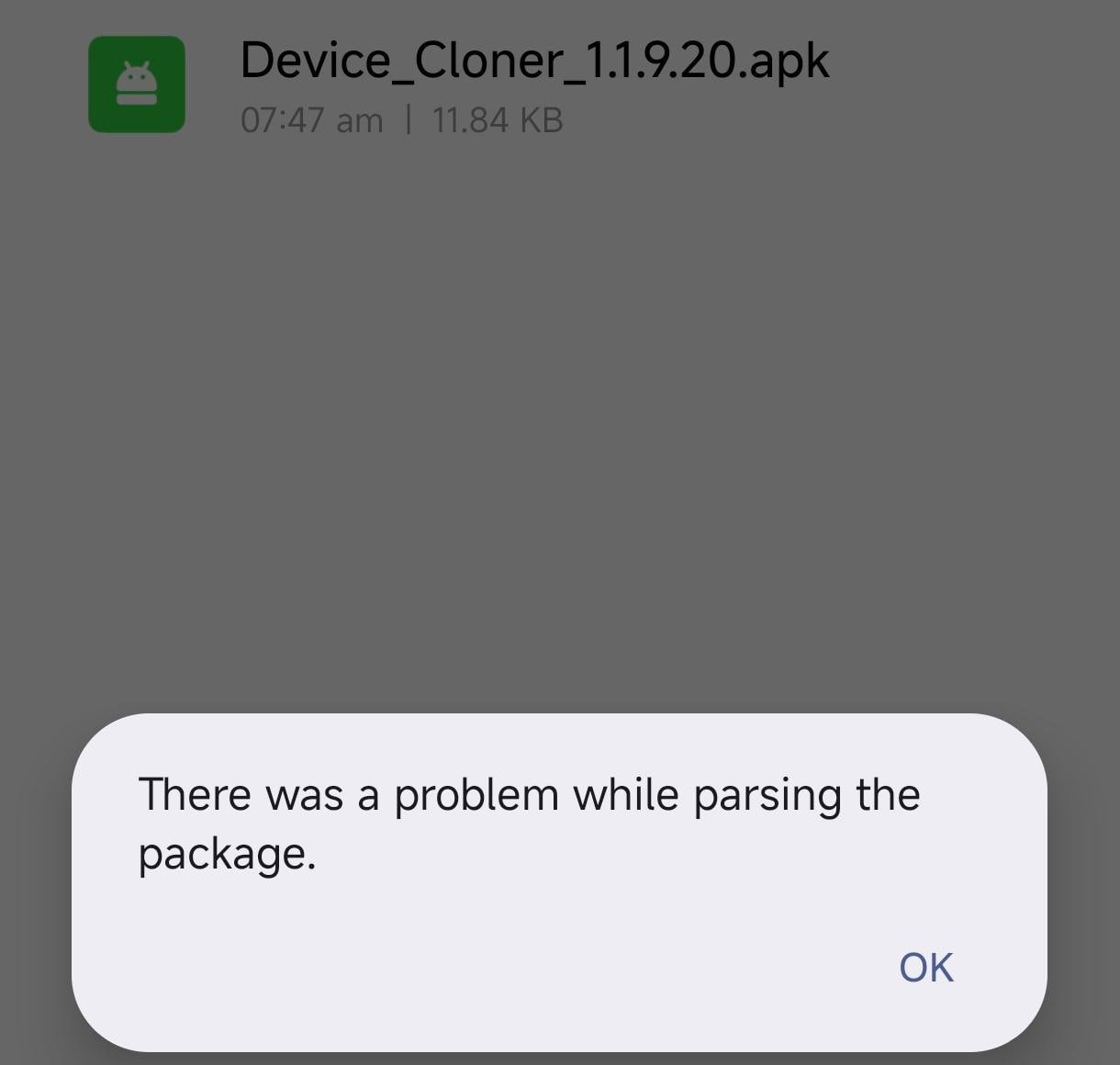
Play Protect OFF kaise kare:
- 1️⃣ Play Store open karo
- 2️⃣ Upar right side profile icon par click karo
- 3️⃣ Play Protect par jao
- 4️⃣ Upar ⚙️ (Settings) icon dabao
- 5️⃣ Dono option OFF karo:
❌ Scan apps with Play Protect
Gadar Live Video (Hindi Audio)
Latest video guide for GADAR users:
- 1. Multiple apps open karenge.
- 2. Usme IRCTC ko clone kar ke token generate karenge.
Watch Full Live Setup Video
Download/Watch Video NowToken Generator Simple Guide
Aapke paas 2 token generator hain. Dhyan se use karein:
1. Old Token Generator:
- Jo pehle se use kar rahe ho, usse pehle token bana lo.
- Software me send karke get kar lo.
2. Live Token Generator:
- Agar dusra mobile nahi hai, to usi mobile me old wala delete karke live token generator install kar lo.
- Usme apni key dal ke ready rakho.
Jab login ya submitting me zyada time lage:
- Bas ek baar connect karo.
- 6 token turant aa jayenge.
- Phir disconnect kar do.
- Software se token get kar lo.
🔁 Ye process 2–3 baar repeat kar sakte ho.
Update Notification
⚡️ Jaldi hi websocket se direct connect ka option bhi mil jayega.
👉 Jisko ye process complicated lage, wo simple web login use kare.
GADAR Web Login + Web3 Login Process Video
GADAR users jinko Web Login aur Web3 Login ka process samajhna hai, wo is video ko dhyan se dekhein. Isme complete process step by step diya gaya hai.
- Web Login Process
- Web3 Login Process
- Easy setup guidance
- Proper use method
Watch Full Video Guide
Jo log GADAR use kar rahe hain, unke liye ye video kaafi useful rahega. Watch now and follow the process properly.
Watch Video NowTatkalHub Tips
🔔 Important Update – Token System
⚠️ Token generate ka system Sleeper ke liye alag hai!
👉 Opening + AC Booking:
Ek hi mobile use karein.
👉 Sleeper Booking:
- Alag mobile use karein.
- Us mobile ka internet (net) alag hona chahiye.
- ID bhi alag use karein.
💡 Simple baat:
Opening + AC ke liye 1 mobile.
Sleeper ke liye completely alag mobile setup use karein.